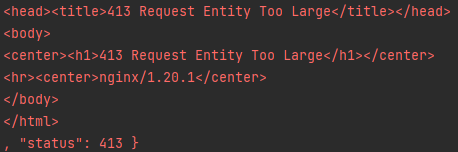
An in-game support feature allowed players to send images, but large images were rejected with 413 Request Entity Too Large.
Resize and reduce quality Use BitmapFactory.Options.inSampleSize to decode a smaller bitmap, then save it into the app cache as JPEG:
1
2
3
4
5
6
7
8
9
10
11
12
13
14
15
16
17
18
19
20
21
22
23
24
25
private String compressImage (String imagePath) throws Exception { File original = new File (imagePath); File output = new File (getActivity().getCacheDir(), "compressed_" + original.getName()); BitmapFactory.Options options = new BitmapFactory .Options(); options.inJustDecodeBounds = true ; BitmapFactory.decodeFile(imagePath, options); options.inSampleSize = calculateInSampleSize(options, 800 , 800 ); options.inJustDecodeBounds = false ; Bitmap bitmap = BitmapFactory.decodeFile(imagePath, options); try (FileOutputStream stream = new FileOutputStream (output)) { bitmap.compress(Bitmap.CompressFormat.JPEG, 80 , stream); } bitmap.recycle(); return output.getAbsolutePath(); } private int calculateInSampleSize (BitmapFactory.Options options, int width, int height) { int sample = 1 ; int halfHeight = options.outHeight / 2 ; int halfWidth = options.outWidth / 2 ; while (halfHeight / sample >= height && halfWidth / sample >= width) sample *= 2 ; return sample; }
Reduce quality without resizing Decode the original bitmap and call bitmap.compress(Bitmap.CompressFormat.JPEG, 80, stream). This preserves dimensions but reduces JPEG quality. PNG does not support the same lossy quality setting.
Target a maximum file size High-resolution images can remain too large. The following approach returns small originals unchanged, resizes large images to half dimensions, and lowers JPEG quality until the output is at most 300 KB or reaches the minimum quality:
1
2
3
4
5
6
7
8
9
10
11
12
13
14
15
16
17
18
19
20
21
private String compressAndResizeImage (String imagePath, long targetBytes) throws Exception { File original = new File (imagePath); if (original.length() <= targetBytes) return imagePath; Bitmap source = BitmapFactory.decodeFile(imagePath); Bitmap resized = Bitmap.createScaledBitmap(source, source.getWidth() / 2 , source.getHeight() / 2 , true ); File output = new File (getActivity().getCacheDir(), "compressed_" + original.getName()); int quality = 100 ; while (true ) { try (FileOutputStream stream = new FileOutputStream (output)) { resized.compress(Bitmap.CompressFormat.JPEG, quality, stream); } if (output.length() <= targetBytes || quality <= 10 ) break ; quality -= 5 ; } source.recycle(); resized.recycle(); return output.getAbsolutePath(); }
Call it with compressAndResizeImage(path, 300 * 1024) and upload the returned path.