Original environment: Cocos Studio 3.10, quick-Cocos2d-x 3.7.8, Windows 11.
When a scene comes from Cocos Studio, first check whether the node is a Sprite or an ImageView. They use different APIs to replace their textures.
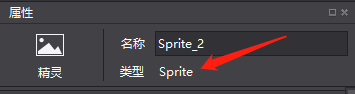
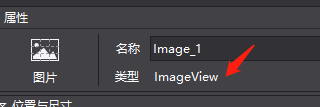
Similarities and differences
Both can display an image. Sprite is a rendering node, while ImageView derives from the UI Widget hierarchy and provides UI-oriented features such as widget events and scale-nine behavior. Choose according to whether the node participates in the UI system and which behaviors it needs.
Replace the image
For a Sprite:
1 | local frame = cc.SpriteFrameCache:getInstance():getSpriteFrame(pathImg) |
For an ImageView loaded from a standalone file:
1 | imageView:loadTexture(pathImg) |
Use a texture atlas
Load the atlas:
1 | display.addSpriteFrames("img.plist", "img.png") |
Set a Sprite frame from the atlas:
1 | local frame = cc.SpriteFrameCache:getInstance():getSpriteFrame("imgName.png") |
Set an ImageView texture from the atlas:
1 | imageView:loadTexture("imgName.png", 1) |
The second argument selects a plist-backed texture in the API version used by this project.

