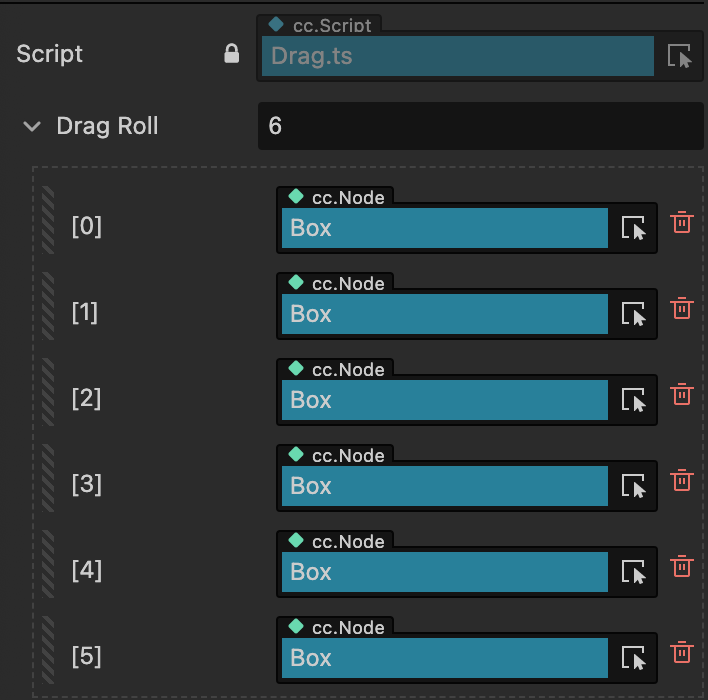
Environment: Cocos Creator 3.7.2
Language: TypeScript
The scene contains several similar sprites, and the handler needs to know which one the user touched.
1
2
3
4
5
6
7
8
9
10
11
12
13
14
15
16
17
18
19
20
21
22
23
24
25
26
27
28
29
30
31
32
33
34
35
36
37
| import { _decorator, Component, Node, EventTouch } from 'cc';
const { ccclass, property } = _decorator;
@ccclass('Drag')
export class Drag extends Component {
@property({ type: [Node] })
public dragNodes: Node[] = [];
public touchedNumber = 0;
onEnable() {
for (const node of this.dragNodes) {
node.on(Node.EventType.TOUCH_START, this.onTouchStart, this);
node.on(Node.EventType.TOUCH_MOVE, this.onTouchMove, this);
node.on(Node.EventType.TOUCH_END, this.onTouchEnd, this);
}
}
onDisable() {
for (const node of this.dragNodes) {
node.off(Node.EventType.TOUCH_START, this.onTouchStart, this);
node.off(Node.EventType.TOUCH_MOVE, this.onTouchMove, this);
node.off(Node.EventType.TOUCH_END, this.onTouchEnd, this);
}
}
private onTouchStart(event: EventTouch) {
const index = this.dragNodes.indexOf(event.target as Node);
if (index !== -1) {
this.touchedNumber = index + 1;
console.log('Touched sprite:', this.touchedNumber);
}
}
private onTouchMove(event: EventTouch) {}
private onTouchEnd(event: EventTouch) {}
}
|
![Sprite nodes assigned in the Inspector]()
The original example accidentally called on() again in onDisable; use off() to prevent duplicate listeners each time the component is re-enabled.