Unlike an APK, an Android App Bundle (.aab) cannot be installed simply by opening it. You must first convert it into an APK.
Download bundletool
Download it from the bundletool releases page.
Generate an APKS archive
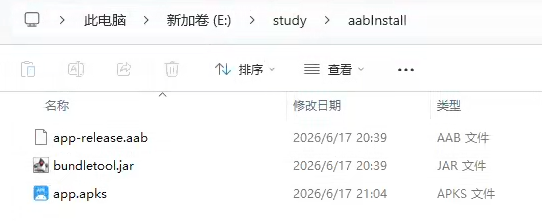
Place bundletool.jar and your .aab file in the same directory. Open a terminal in that directory and run:
1 | java -jar bundletool.jar build-apks --bundle=app-release.aab --output=app.apks --mode=universal |

The informational message only indicates that the APK is using the debug signing key on your computer. After the command finishes, it creates app.apks at the specified location.
Install with ADB
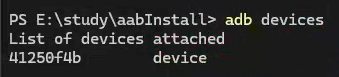
Enable USB debugging on the Android device, connect it to the computer, and run:
1 | adb devices |
If the device appears as shown below, the connection and USB debugging are working:
Install the archive with:
1 | java -jar bundletool.jar install-apks --apks=app.apks |
Confirm the installation on the phone when prompted.
Install by extracting the APK
If you do not want to use ADB, or need to send the APK to a non-technical user, rename app.apks to app.zip and extract it. The archive contains toc.pb and universal.apk:

You can send universal.apk to the other user for installation.

