Problem
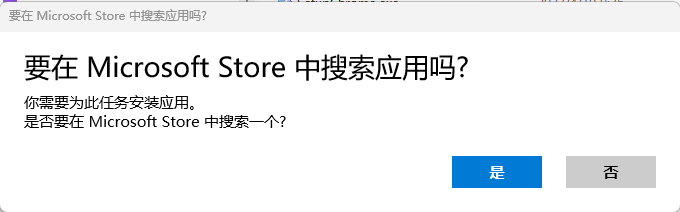
When opening an .exe installer on Windows 11, you may see Look for an app in the Microsoft Store?
Solution for a trusted file
Right-click the .exe, select Properties, and open the General tab. If an Unblock checkbox appears in the Security section, select it and click Apply.
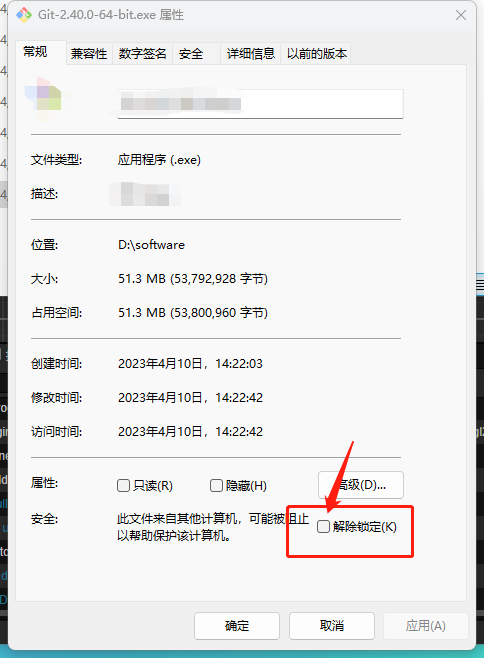
Only unblock a file after confirming its source and digital signature and scanning it with Windows Security. If Windows still cannot run it, verify that it is actually a Windows executable for the correct processor architecture rather than bypassing additional warnings.

