Cross-origin restrictions are common during local front-end development. The correct solution is normally to configure the API’s CORS response headers or use a development proxy so that the browser can enforce its usual security model.
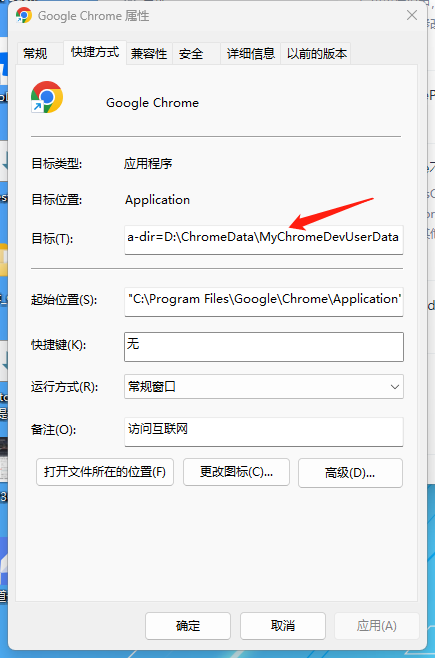
For a short-lived Windows debugging session, Chrome can be launched with web security disabled and a dedicated, disposable profile:
1 | --disable-web-security --user-data-dir=D:\ChromeData\MyChromeDevUserData |
Add the arguments to a separate Chrome shortcut’s Target field, after the executable path:
Chrome displays a warning when it starts with the weakened security setting:
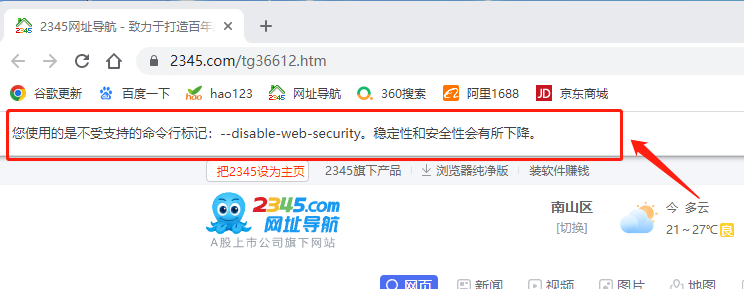
This browser instance does not provide normal origin isolation. Use only the dedicated profile for local test pages, never sign in to personal accounts or browse untrusted sites with it, and close it immediately after debugging. Do not use this as a production fix.

