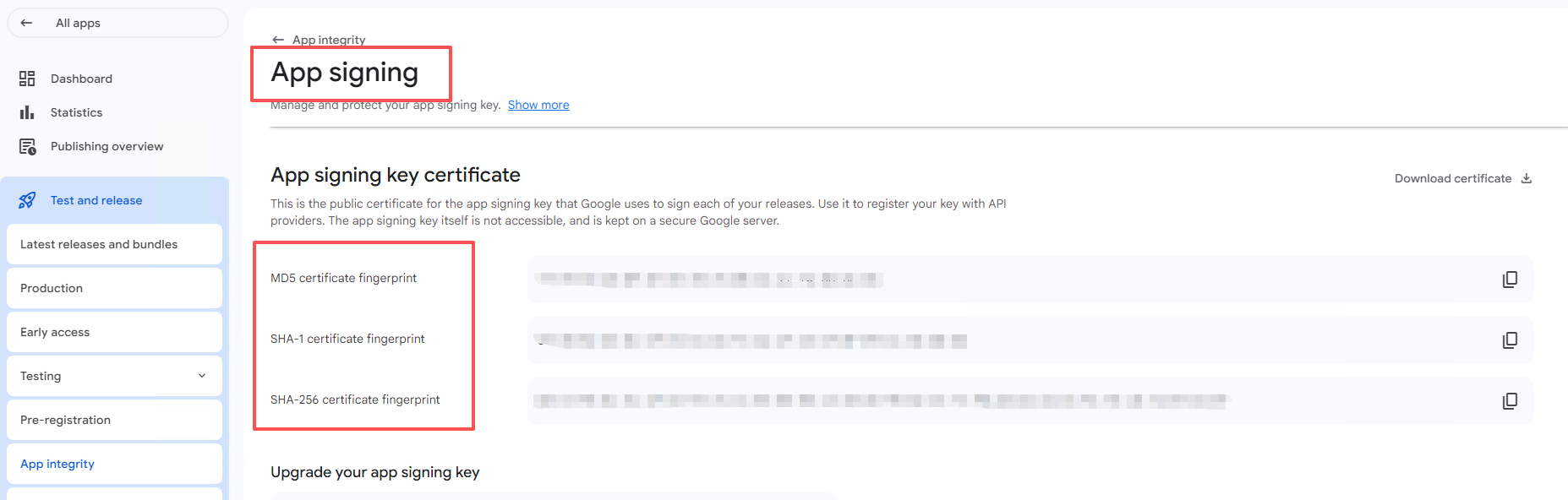
Note: You must own the published app and have access to its Google Play Console account.
Steps
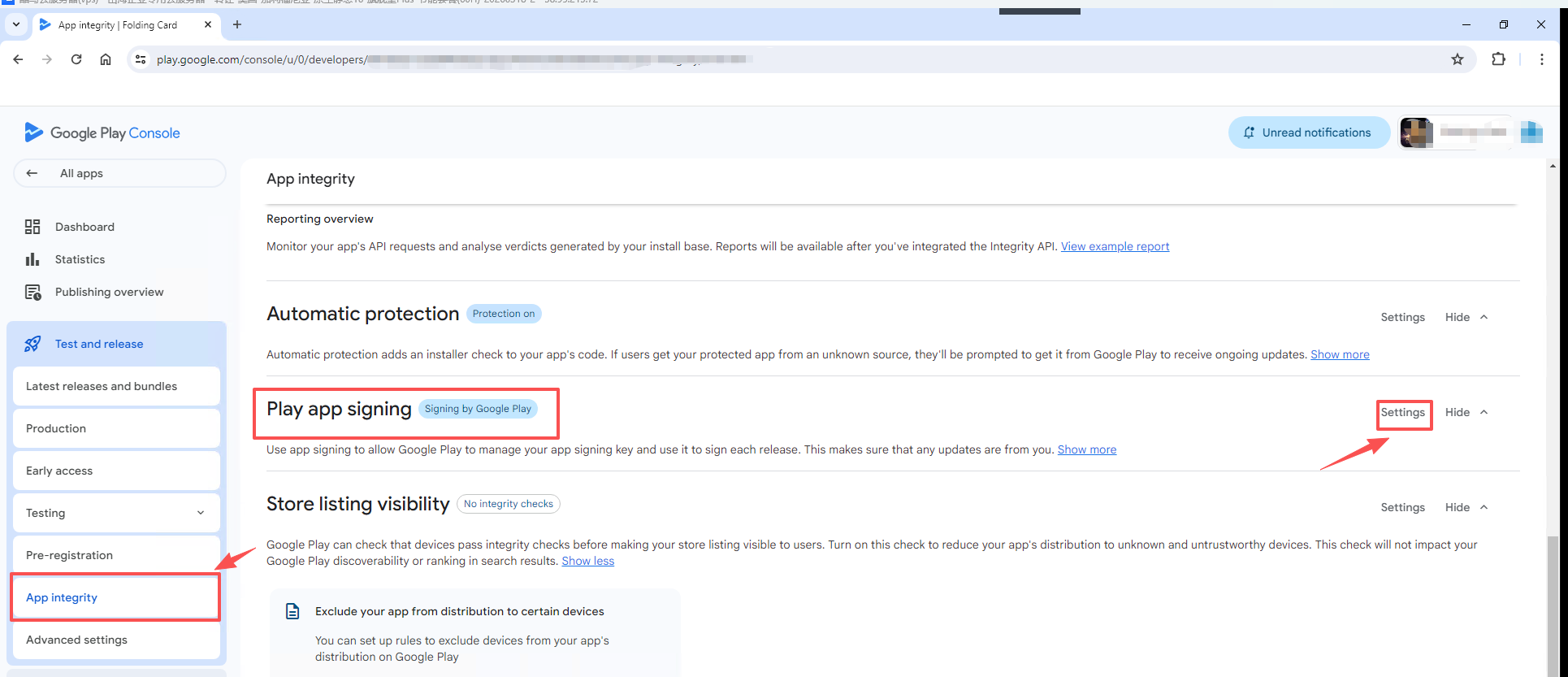
- Open the app in Google Play Console. From the left navigation, select
App integrity. On the right, selectPlay app signing, then openSettings.
- The app signing certificate and its SHA-1 fingerprint are displayed on that page.