Nanfeng

Notes on software development, code, and curious ideas

Customizing the Archive Page in Hexo’s NexT Theme

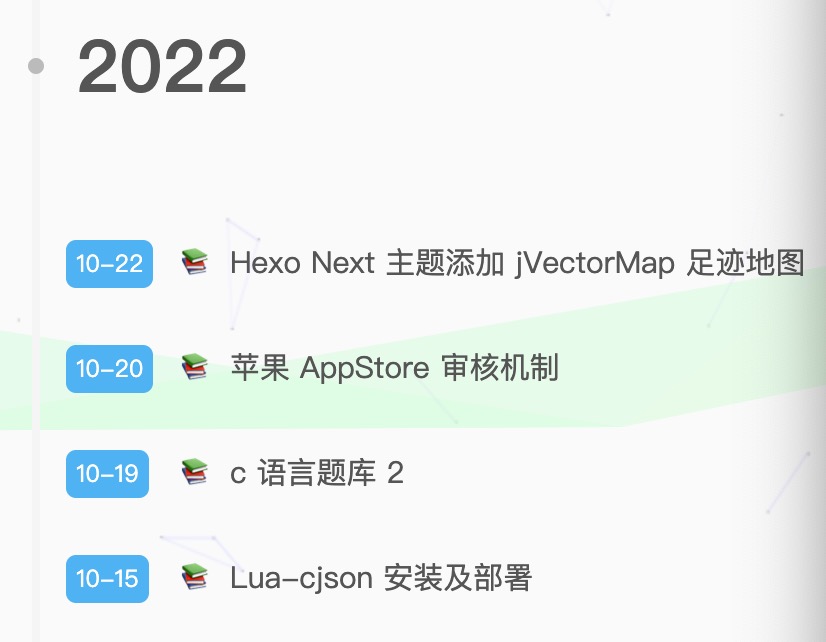
The customized Hexo archive page looks like this:

Customized NexT archive page

This article targeted a NexT version that mixed Nunjucks and Swig templates. Current NexT releases may use different files, so first inspect themes/next/layout and adapt the idea rather than blindly replacing theme internals.

Archive entry macro

The custom macro groups posts by year, displays MM-DD, and applies custom classes:

1
2
3
4
5
6
7
8
9
10
11
12
13
14
15
16
17
18
19
20
21
22
23
24
25
26
27
28
29
30
31
{% macro render(posts) %}
{%- set current_year = '1970' %}
{%- for post in posts.toArray() %}
{%- set year = date(post.date, 'YYYY') %}

{%- if year !== current_year %}
{%- set current_year = year %}
<div class="collection-year">
<h2 class="collection-header">{{ current_year }}</h2>
</div>
{%- endif %}

<article class="my-post" itemscope itemtype="https://schema.org/Article">
<header class="my-post-header">
<time class="my-post-time"
datetime="{{ moment(post.date).format() }}">
{{ date(post.date, 'MM-DD') }}
</time>
<h3 class="my-post-title">
<a class="my-post-title-link"
href="{{ url_for(post.path) }}"
itemprop="url">
<span itemprop="name">
{{ post.title or __('post.untitled') }}
</span>
</a>
</h3>
</header>
</article>
{%- endfor %}
{% endmacro %}

Styling

Add the styles through NexT’s supported custom stylesheet hook when available:

1
2
3
4
5
6
7
8
9
10
11
12
13
14
15
16
17
18
19
20
21
22
23
24
25
26
27
28
29
30
31
32
33
34
35
36
37
38
39
40
41
42
43
44
45
46
47
48
.page-archive .archive-page-counter {
display: inline-block;
padding: 0 10px;
border-radius: 8px;
background: #49b1f5;
color: #fff;
font-size: 18px;
}

.my-post {
position: relative;
margin-bottom: 1rem;
transition: transform .15s ease, box-shadow .15s ease;
}

.my-post:hover {
width: min(400px, calc(100% - 20px));
margin-left: 25px;
padding: 1px 10px;
border-radius: 30px;
box-shadow: 10px 10px 15px 2px rgba(0, 0, 0, .12);
transform: scale(1.05);
}

.my-post-time {
position: absolute;
margin-left: 15px;
padding: 0 5px;
border-radius: 5px;
background: #49b1f5;
color: #fff;
font-size: 11px;
}

.my-post-title {
margin-left: 4.5rem;
font-size: .8rem;
}

.my-post-title-link {
color: inherit;
text-decoration: none;
}

.my-post-title-link::before {
content: "📚";
margin-right: 5px;
}

The original workaround changed layout/archive.njk to import _macro/post-collapse.swig. Only do that if your installed theme actually supports the Swig renderer; otherwise convert the macro to the template engine used by your NexT version. Keep theme modifications in source control so upgrades can be reconciled.
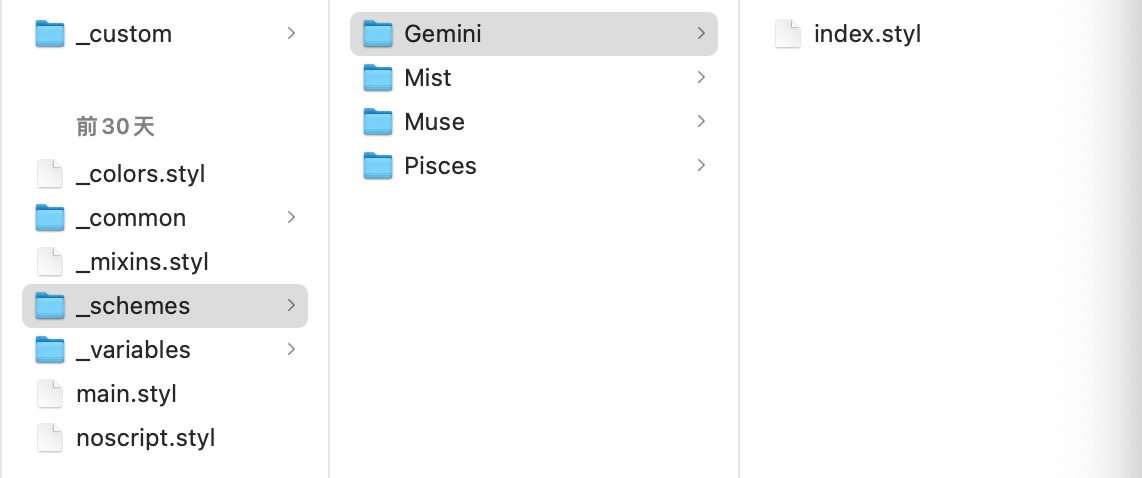
Archive stylesheet location Archive macro import modification
+

