This article documents a legacy Android build based on quick-Cocos2d-x, an old NDK toolchain, the deprecated Android command-line project generator, and Ant. It is useful for reproducing an existing project, but new Android projects should use a maintained Gradle-based build.
Install compatible tools
The JDK, Android SDK tools, NDK, and Ant versions must match the project. Record them in project documentation or a build image; upgrading only one component can break the build.
Build native libraries
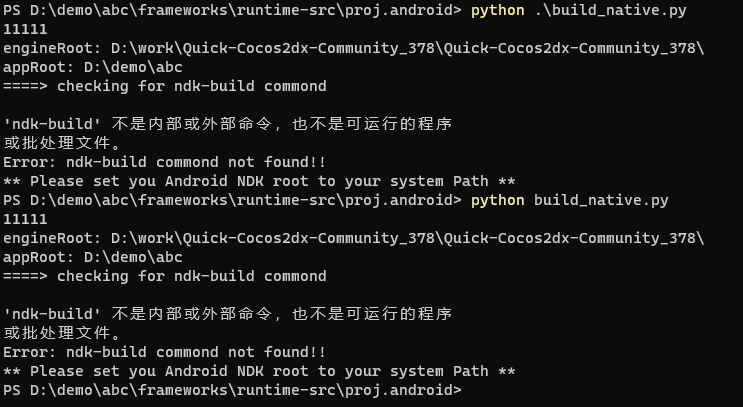
The project did not contain the clean.bat scripts referenced by some tutorials, so native compilation was started from its Android project directory with:
1 | python .\build_native.py |
If the command reports that ndk-build is not recognized, configure the path to the required NDK and reopen the terminal.

Generate the old Ant project
The historical setup used:
1 | android update project -p . -t 1 |
In this particular tree, it was run under frameworks/runtime-src/proj.android/src/main to generate build.xml.

Then the debug APK was requested with:
1 | ant debug |
An error such as “source option 5 is no longer supported” means the old build requests Java 5 source/target compatibility but the installed JDK no longer accepts it. The durable options are to use the JDK version expected by the legacy project in an isolated environment or migrate the build settings and code to a supported Java/Gradle toolchain. Do not weaken a system-wide JDK installation just for one old project.

