A previous article covered debugging a mobile web page with Chrome. This guide explains how to debug a page open in Safari on an iPhone.
Requirements
You need both a Mac and an iPhone. This workflow is not available from a Windows computer.
Steps
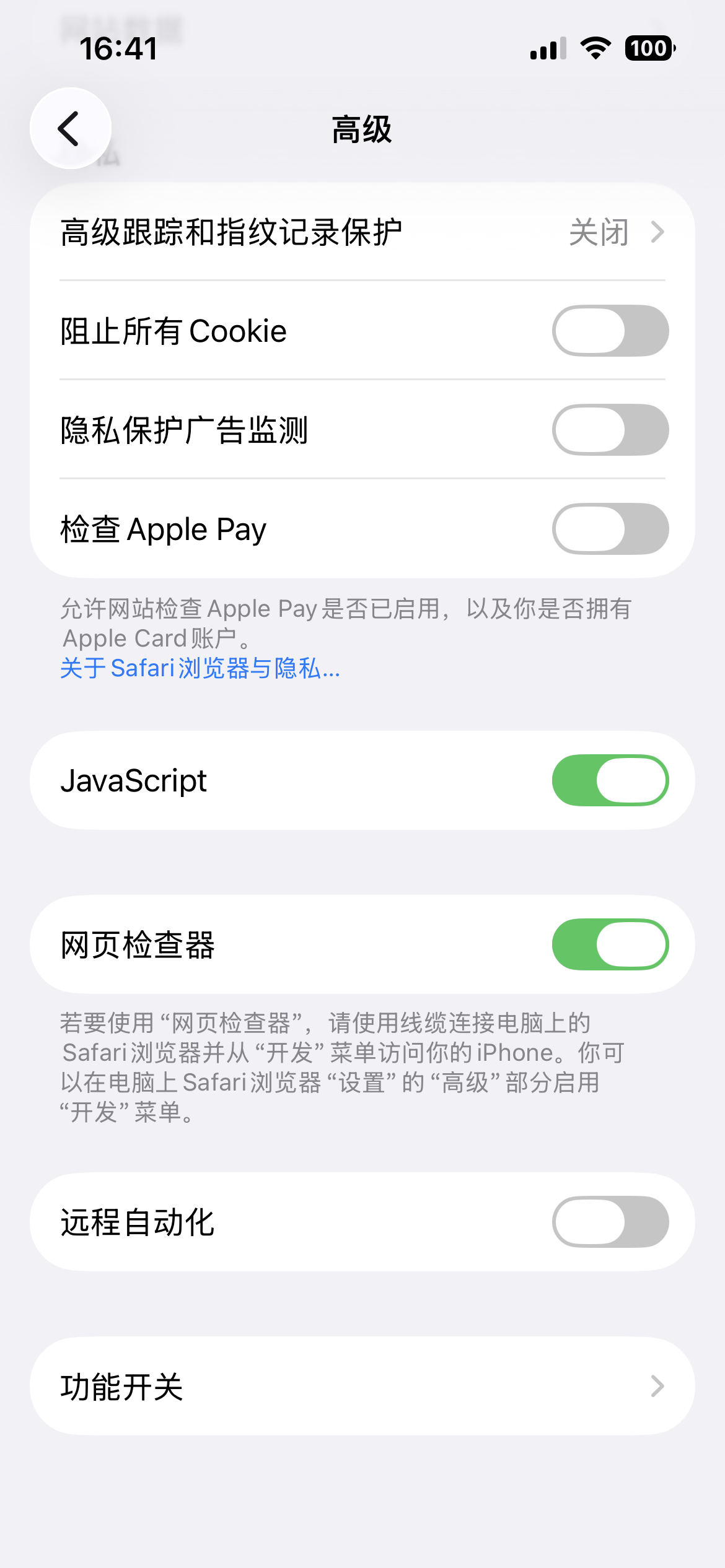
Enable Web Inspector on the iPhone. Open Settings → Apps → Safari → Advanced, then turn on Web Inspector.
![Enable Web Inspector]()
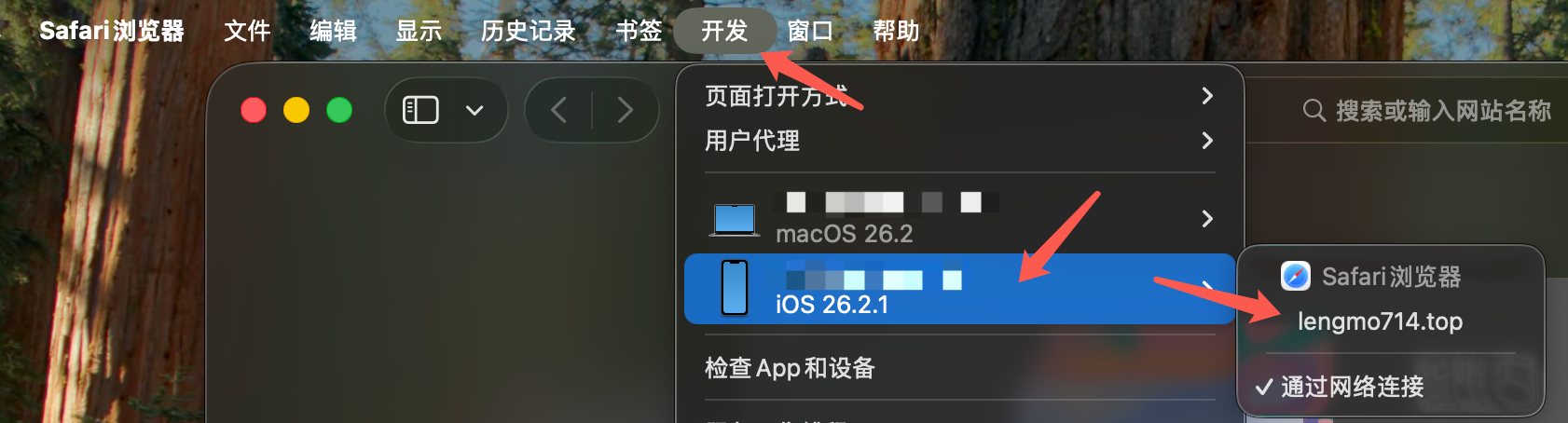
Open Safari on the Mac and use the Develop menu as shown below:
![Open the Develop menu]()
The target page must also be open in Safari on the iPhone; otherwise it will not appear in the Mac’s Develop menu.
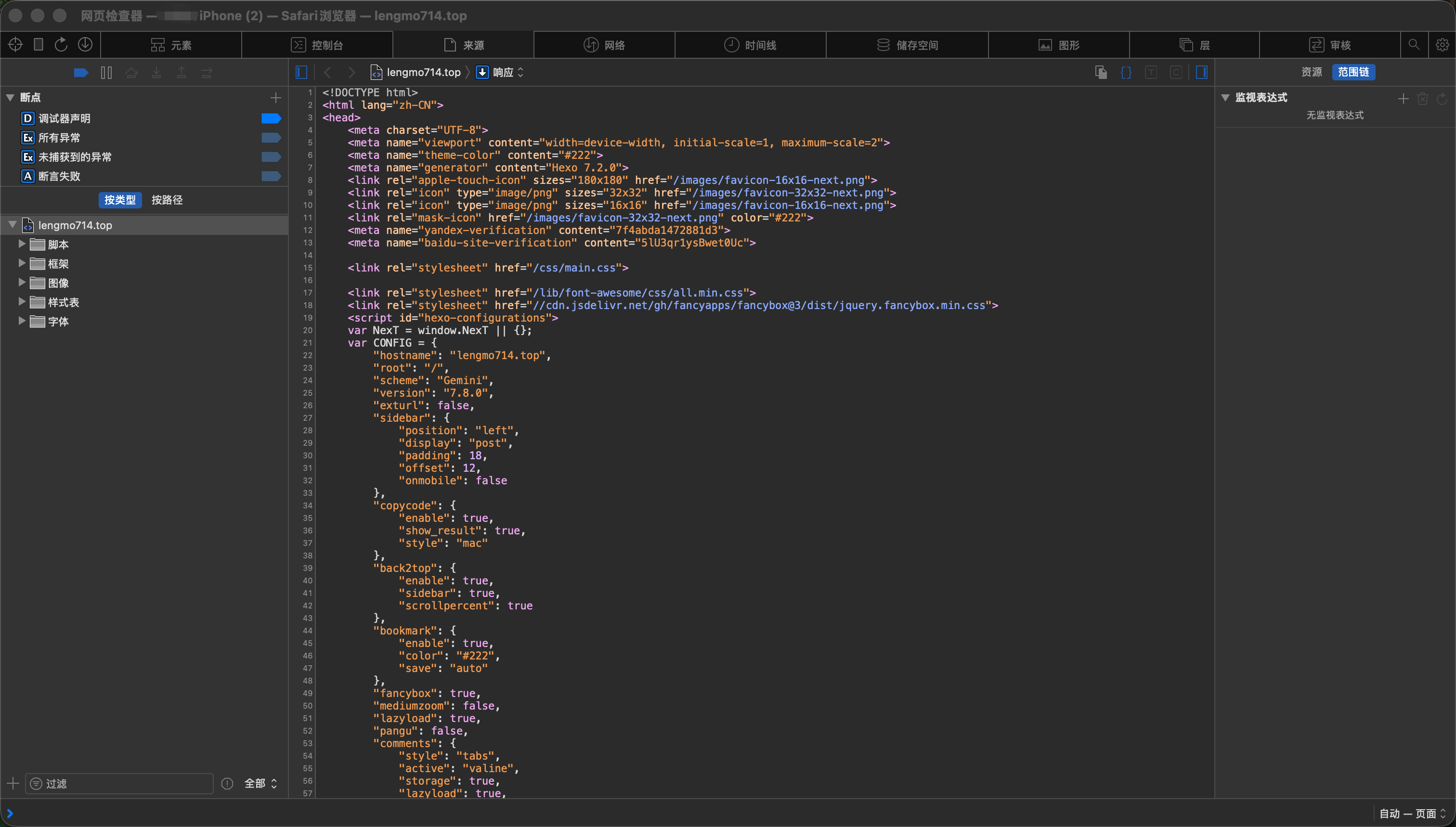
Select the web page you want to inspect. Safari opens its developer tools:
![Safari developer tools]()